Collect money · Reviewed 24 October 2026
Collection channels and bank accounts
Configure accounts customers pay into, inspect channel readiness and keep collection fees visible.
Accept bank transfers into your account
- Open Collections → Bank accounts, then Add bank account.
- Enter and verify the destination details. Set up bank transfer on the invoice when the account is ready.
- Customers follow the invoice’s bank instructions and submit a proof. Check your bank statement and confirm or reject the payment.
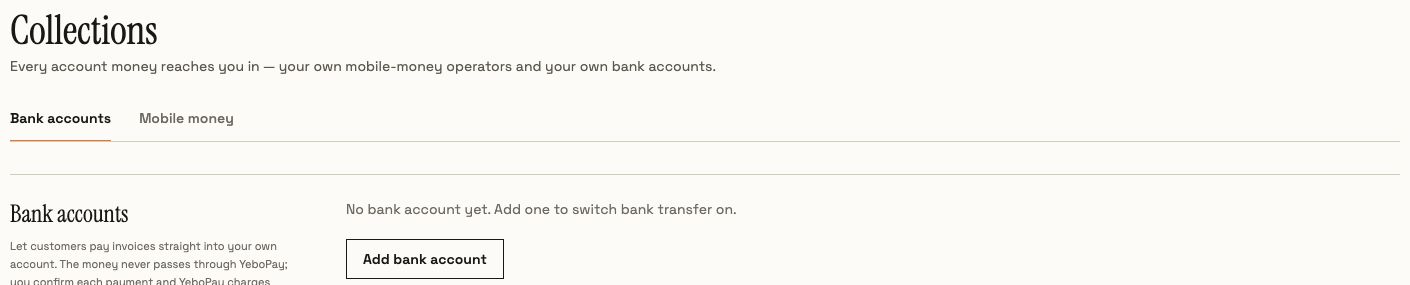
These transfers go straight to your own bank account. They do not become YeboPay-held card balances. Collection fees and any amount due are shown here; use the current account display for pricing and limits.
Connect a mobile-money operator
- Open the Mobile money tab. Select the available operator and the account-readiness path that describes your business.
- If you already have API credentials, follow the displayed collection or disbursement setup. Otherwise, use the application path and provide the required business information.
- Test the connection and review the actual result. Check approval, credentials and live/channel status before using the operator.
Collection and disbursement permissions can differ. Saving credentials or submitting an application is only a setup step; inspect the channel’s readiness and operation result. Provider, country, merchant approval and currency determine what is available.
Use available methods at checkout
Customers see the methods enabled for their invoice and merchant. Do not build a fixed list of provider codes into an integration: query GET /v1/payment-options?country=SZ and use an active response option. Escrow uses its own funding-capability discovery endpoint, described in the escrow guide.
Explore the other features
Browse all guides
- Escrow holds, releases and disputes
- Invoices, partial payments and layby
- Customers, CSV imports and bulk billing
- Bank proof review and issued receipts
- Payouts, withdrawals and partial settlements
- AI assistant, voice and follow-ups
- Recurring billing, installments and subscriptions
- API keys, hosted checkout and webhooks
- Business setup, verification and security